SAO 2


Situation: 

In a Year 3 classroom, where I was covering for two days a week over a span of 10 weeks, my goal was to prepare students for an upcoming moderation task focused on creating Pic Collages. To achieve this, I integrated various cross-curricular areas, blending the Talk for Writing (T4W) focus on persuasive writing with exposure to multiple IT platforms, including Padlet and Pic Collage. 

Action: 

To ensure the students were well-prepared for the moderation task, I aimed to give them hands-on experience with Pic Collage, teaching them the different features and skills they would need to master. I integrated this into a T4W lesson on persuasive writing, emphasizing key elements such as a clear point of view, structured paragraphs, persuasive language, and the use of rhetorical questions. 

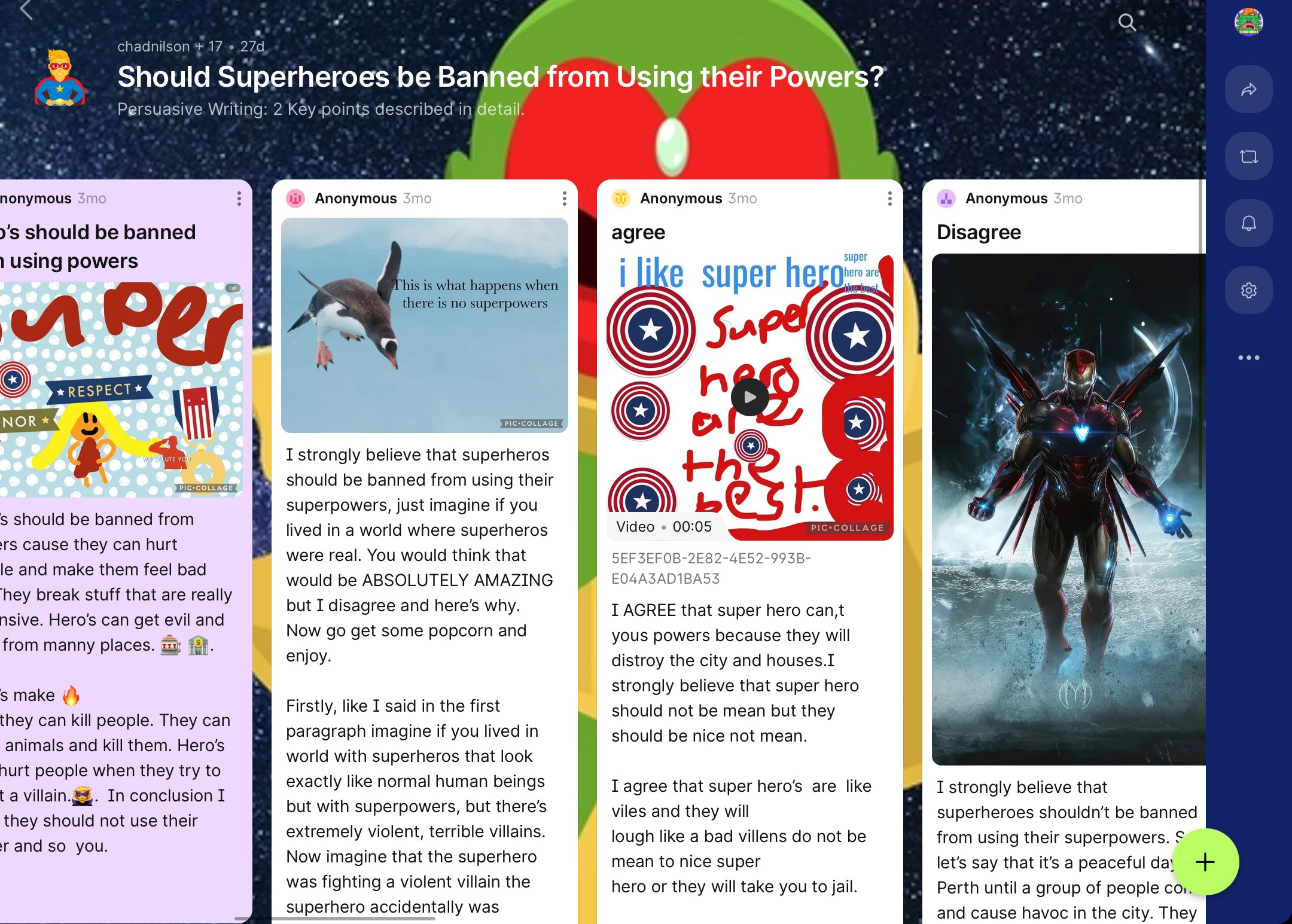
I created a Padlet that the students could easily access by scanning a QR code with their iPads. This not only introduced them to another IT platform but also streamlined their access to the learning material. During the lesson, students were instructed to draft an introduction and two key reasons supporting their point of view. They then used Pic Collage to create a visually engaging poster, incorporating various features and animations, which they saved, cropped, and uploaded to their Padlet post. 

Outcome: 

Through this approach, students were exposed to essential IT skills, fostering creativity across multiple digital platforms. As the educational system increasingly integrates technology, especially with iPads becoming a central tool in Year 4’s 1-to-1 device system, these skills are vital. Additionally, the students successfully demonstrated their ability to articulate a persuasive point of view, supported by compelling reasons, and creatively expressed this through Pic Collage. The final products not only showcased their grasp of persuasive writing but also allowed for assessment across multiple areas of the curriculum. 

Persuasive Padlet

Students Post their persuasive opinions and add their image from either Pic Collage or Pic EDU. Students scan a QR code that takes them to my Padlet to post their writing. I have to approve the post before it can be seen by other students. If I want a student to edit or change their post, I can reject their request to post it, and give them feedback on what improvements are required.
Persuasive Letter

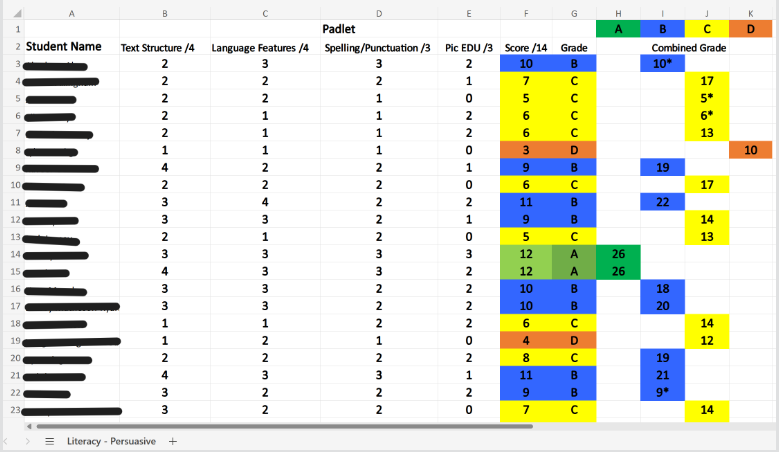
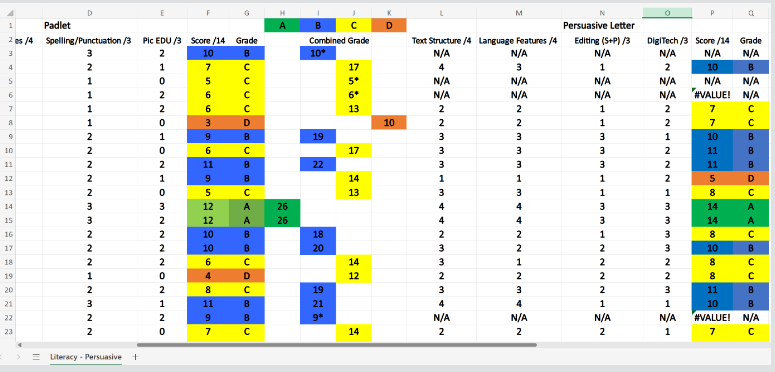
I created this excel spreadsheet to help me input assessment scores and assign grades to the specific scores. This particular spreadsheet took the data from two separate persuasive writing assessments and calculated an overall score and grade for persuasive writing.
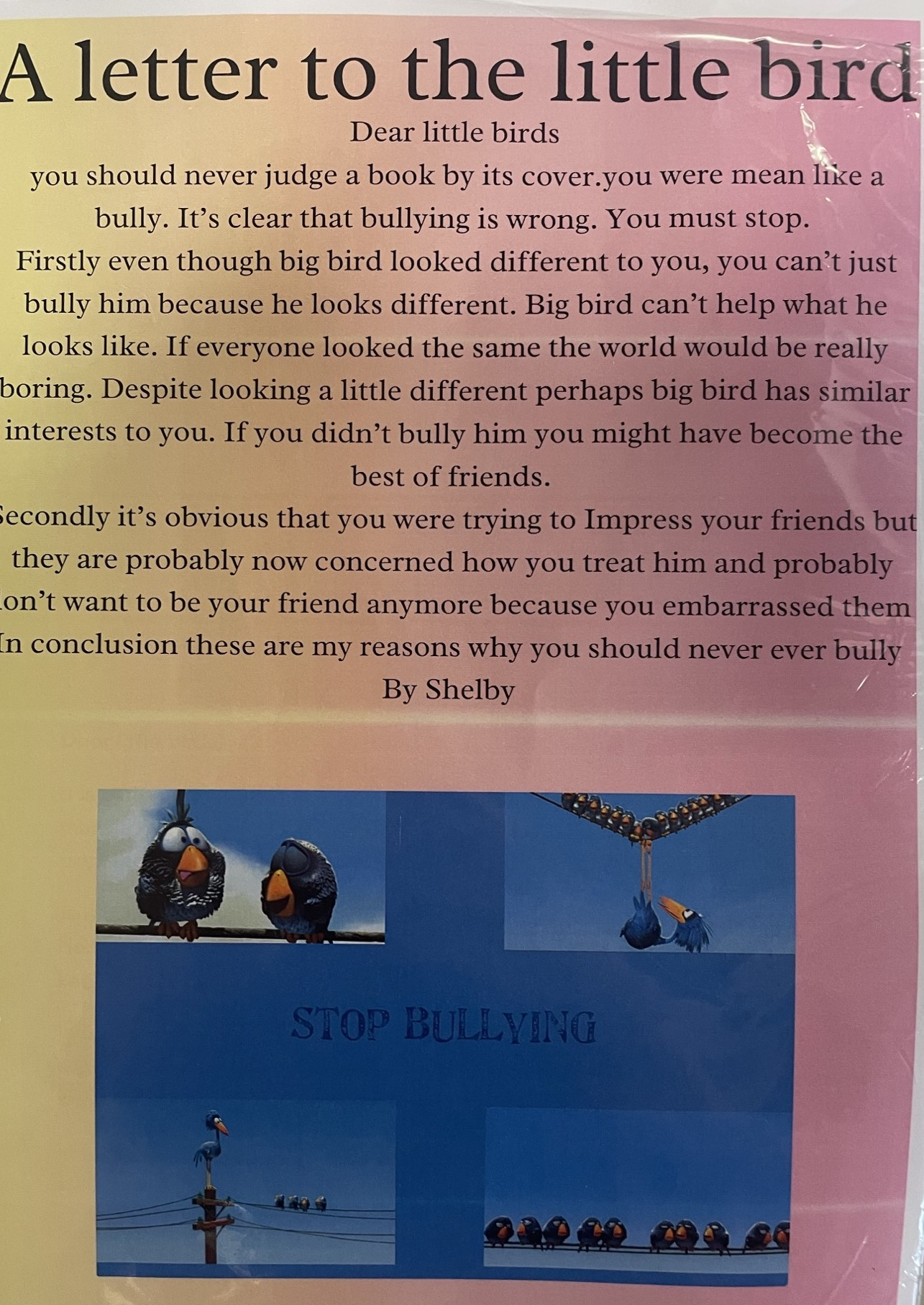
The students completed a film study on "For the Birds." The students were taught various persuasive techniques, including how to address the reader, and use high modality language. Students were also assessed on their ability to create a relevant image on Canva for their Persuasive Letter.